Make Your Website Easier to Use and More Effective
Your website should work for everyone who visits it.
If someone lands on your site and struggles to read the content, navigate the menu, or complete a form, they will likely leave and look elsewhere.
Website accessibility helps remove those barriers. It creates a better experience for all users, including people using screen readers, keyboard navigation, mobile devices, or other assistive technologies.
The good news is that improving accessibility does not require a complete website redesign. Small changes often make a significant difference.
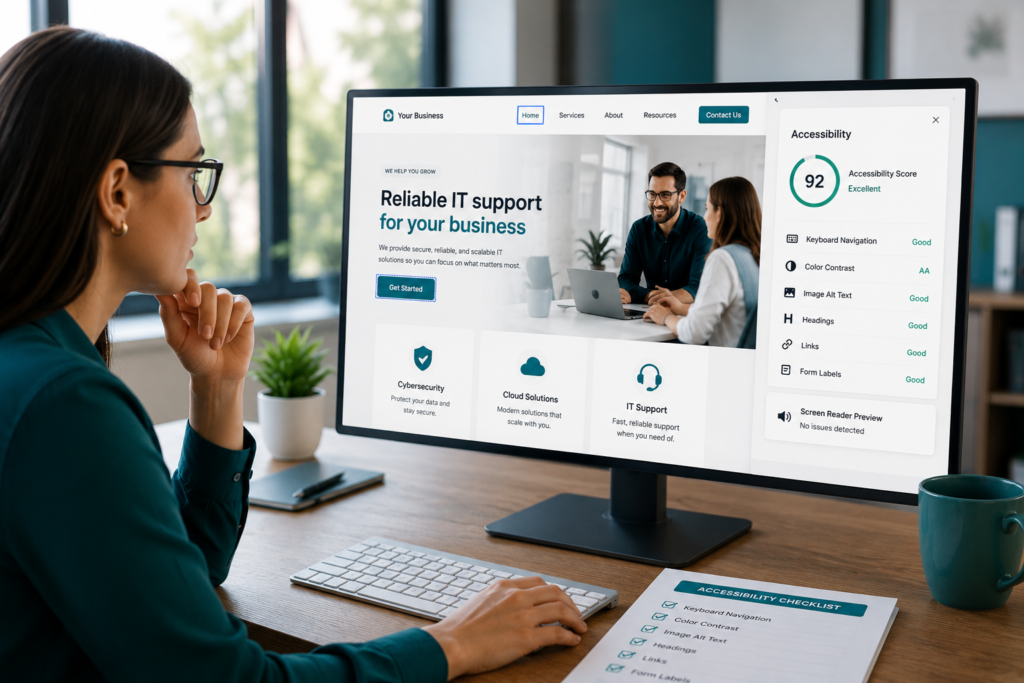
Here’s a practical accessibility checklist every small business should review.
Start With Readable Content
Content is often the first thing visitors interact with on your website.
If your text is difficult to read, users may leave before exploring the rest of your site.
Review your pages and ask:
- Is the font size easy to read?
- Is there enough contrast between text and background colors?
- Are paragraphs short and easy to scan?
- Is important information easy to find?
Clear, readable content improves both website usability and engagement.
Make Navigation Simple
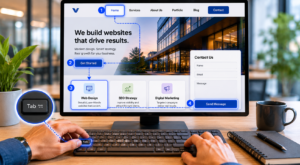
Not every visitor uses a mouse.
Many users rely on keyboards to navigate websites, while others use assistive technologies.
Try navigating your site using only the Tab key.
Check whether visitors can easily:
- Access navigation menus
- Click buttons and links
- Complete forms
- Move through pages logically
If navigation becomes difficult, visitors are more likely to abandon your site.
Add Alternative Text to Images
Images help tell your story, but screen readers cannot understand images without descriptions.
Alternative text, commonly called alt text, provides context for visually impaired users.
When adding alt text:
- Describe the purpose of the image
- Keep descriptions concise
- Avoid keyword stuffing
Good alt text improves accessibility and helps search engines better understand your content.
Make Videos Accessible
Video content continues to grow in popularity, but accessibility should not be overlooked.
Consider adding:
- Captions for spoken content
- Video transcripts when appropriate
- User-controlled playback options
Avoid auto-playing videos whenever possible. Unexpected audio can create frustration for visitors.
Improve Your Forms
Forms are often where website conversions happen.
Whether you’re collecting leads, appointment requests, or contact inquiries, accessibility matters.
Review your forms and ask:
- Does every field have a clear label?
- Are instructions easy to understand?
- Do error messages explain what needs to be corrected?
- Can users complete the form using a keyboard?
A more accessible form creates a smoother path to conversion.
Organize Your Content With Clear Headings
Good structure helps visitors quickly find the information they need.
It also helps search engines understand your content.
Use:
- One primary page heading
- Logical heading hierarchy
- Clearly separated sections
- Short blocks of content
Well-organized pages improve readability and user experience.
Check Color Contrast and Visibility
Design choices should never make content harder to read.
Low-contrast text can become difficult to see, especially on mobile devices or in bright environments.
Review your website to ensure:
- Buttons stand out clearly
- Links are easy to identify
- Text remains readable across all devices
- Important information is not conveyed by color alone
Strong contrast improves accessibility for every visitor.
Test Your Website Like a User
One of the easiest ways to identify accessibility issues is to experience your website from a visitor’s perspective.
Try:
- Navigating without a mouse
- Viewing pages on mobile devices
- Testing forms from start to finish
- Using basic accessibility evaluation tools
These simple tests often uncover issues that are easy to fix.
Why Accessibility Matters for Your Business
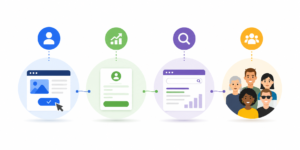
Accessibility is not only about compliance.
It directly impacts user experience, engagement, and conversions.
An accessible website can help:
- Increase visitor engagement
- Improve lead generation
- Reduce bounce rates
- Support search engine optimization
- Create a better experience for all users
When more people can successfully use your website, your business benefits.
What To Do Next
You do not need to tackle everything at once.
Start by reviewing one page on your website.
Look for areas where users might struggle to read, navigate, or complete an action. Make improvements, test the results, and continue through the rest of your site.
Small accessibility improvements often lead to meaningful gains in user experience and conversion performance.
If you’re unsure where to start, Venice Web Design can help identify accessibility issues and recommend practical improvements.
Reach out today to schedule a website review.
Frequently Asked Questions
What is website accessibility?
Website accessibility refers to designing and developing websites so people of all abilities can use them effectively, including those who rely on assistive technologies.
Why is website accessibility important for small businesses?
Accessibility helps you reach a wider audience, improve user experience, and reduce barriers that prevent visitors from becoming customers.
Does website accessibility affect SEO?
Yes. Many accessibility best practices, such as proper headings, image alt text, and clear content structure, also support search engine optimization.
How can I test my website’s accessibility?
You can use accessibility testing tools, keyboard navigation tests, and mobile usability checks to identify common issues.
Do I need to redesign my entire website to improve accessibility?
No. Many accessibility improvements can be made through small updates to content, navigation, forms, images, and design elements.